In this article
- First, what is Cisco?
- What is Cisco Meraki?
- How cloud managed networking works
- How Catalyst is managed
- Meraki vs Catalyst at a glance
- Meraki licensing explained (without prices)
- Catalyst licensing in brief
- Choosing the right model for your offices
- Wireless, security and monitoring
- UAE practicalities worth checking
- Moving from an existing network
- FAQ
- Conclusion
Ask ten network engineers in Dubai “what is Cisco Meraki?” and you will get two kinds of answer. Some will call it the easiest way to run a multi-site network; others will call it a subscription you can never stop paying. Both have a point. This article explains what Meraki actually is, how it differs from Cisco’s traditional Catalyst range, how the licensing models work (without quoting prices) and how to decide which suits your offices.
We write from the perspective of a team that installs and supports both. The goal is not to sell you one over the other but to help you pick the model that matches your sites, your staff and the way you want to run your network for the next five to seven years.
First, what is Cisco?
Before comparing product lines, a quick answer to what is Cisco for readers coming from a non-technical role. Cisco Systems is a US-based networking and security company founded in 1984. It makes the switches, routers, wireless access points, firewalls and collaboration tools that carry a large share of corporate and internet traffic worldwide. In the UAE, Cisco equipment is common in government, banking, oil and gas, hospitality and mid-market businesses.
Cisco sells networking hardware under several families. The two that matter for most offices are:
- Catalyst: the long-standing enterprise switching and wireless line, configured traditionally through a command-line interface (CLI) or Cisco’s on-premises and cloud management tools.
- Meraki: a cloud-managed line that Cisco acquired in 2012, configured entirely through a web dashboard.
If you are looking for a local team that works across both, our Cisco Dubai practice covers design, installation and support.
What is Cisco Meraki?
So, what is Cisco Meraki in practical terms? Meraki is a family of network devices that are managed from a single cloud-hosted dashboard instead of being configured one by one. The family includes:
- MX: security and SD-WAN appliances (firewall, VPN, content filtering, branch routing)
- MS: access and aggregation switches
- MR and CW: wireless access points
- MV: smart security cameras with on-device storage
- MT: environmental sensors (temperature, humidity, door, water leak)
- MG: cellular gateways for backup connectivity
- Systems Manager: mobile and endpoint device management
Every device phones home to the Meraki cloud when it is plugged in. If it has been claimed into your organisation’s dashboard, it downloads its configuration automatically. This “zero-touch” provisioning is why Meraki is popular for retail chains, clinics and companies opening branches in several emirates: a non-technical person on site can plug in the box, and the network team does the rest remotely.
What the dashboard actually gives you
- One view of every site, switch, access point and firewall
- Per-client visibility: which device, which user, which application, how much bandwidth
- Configuration templates applied to many sites at once
- Built-in alerting, packet capture and cable testing tools
- Firmware upgrades scheduled from the browser
- Topology maps and floor plans with access point placement
How cloud managed networking works
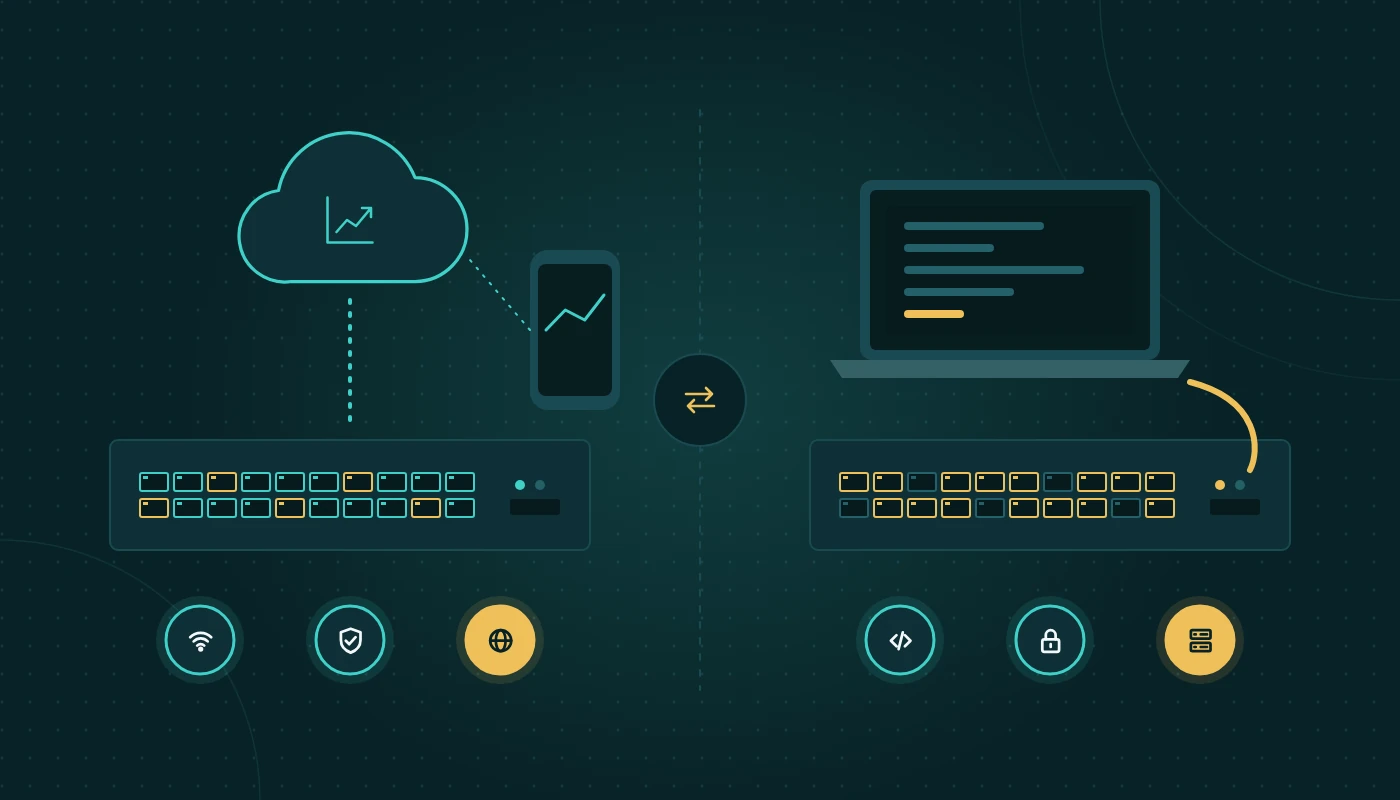
Cloud managed networking separates the management plane from the data plane. The management plane (configuration, monitoring, logging, firmware) lives in the vendor’s cloud. The data plane (your actual traffic) stays on your local network and does not pass through the cloud.
That distinction matters for two common concerns we hear from UAE organisations.
“If the internet goes down, does our network stop?”
No. If the connection to the Meraki cloud is lost, devices keep forwarding traffic using their last known configuration. What you lose temporarily is the ability to change settings and see live statistics. Local features such as VLANs, firewall rules and Wi-Fi authentication with a local RADIUS server continue to work.
“Where is our data stored?”
Management data, such as device statistics, client details and logs, is stored in the region where the dashboard organisation is hosted. Meraki operates several regional clouds. User traffic, files and application data do not go to Meraki’s cloud. For regulated sectors such as healthcare, government and banking, check whether client metadata leaving the UAE is acceptable under your sector’s rules.
Catalyst can be cloud-managed too
The line between the two families is blurring. Cisco has introduced cloud monitoring and, for selected models, full cloud management of Catalyst switches and access points through the Meraki dashboard, and newer hardware can run in either mode. So “Meraki vs Catalyst” increasingly means “cloud management model vs traditional management model” rather than two entirely separate worlds.
How Catalyst is managed
Catalyst switches run Cisco IOS XE and are configured through the CLI, a local web UI, or centralised tools. The main options are:
- CLI and templates: an engineer connects via SSH and applies configuration. Precise and powerful, but it depends on skilled staff and good documentation.
- Cisco Catalyst Center (formerly DNA Center): an on-premises appliance or virtual appliance that provides automation, assurance analytics, software image management and policy-based segmentation.
- Third-party tools: many organisations use their own monitoring and configuration backup systems alongside the CLI.
Catalyst offers deep feature sets: advanced routing protocols, large-scale segmentation, very high port densities, modular chassis for campus cores, and fine-grained quality of service. It is the natural choice where you have a specialist network team, complex routing, or strict requirements to keep every element of management on-premises.
Meraki vs Catalyst at a glance
Here is a side-by-side Meraki vs Catalyst comparison on the factors UAE businesses usually care about.
| Factor | Cisco Meraki | Cisco Catalyst |
|---|---|---|
| Management | Cloud dashboard only | CLI, Catalyst Center, or cloud dashboard for supported models |
| Skills required | Generalist IT staff can manage day to day | Network engineer skills for configuration and troubleshooting |
| Deployment of new sites | Zero-touch: plug in, device pulls config | Pre-staging or on-site engineer usually needed |
| Feature depth | Covers most office and branch needs | Broader and deeper, especially routing and campus core |
| Visibility | Strong built-in client and application visibility | Excellent with Catalyst Center; basic without it |
| Licensing | Licence required for every device to function | Software subscriptions for advanced features; base switching continues if subscription lapses |
| If licence lapses | Devices may stop passing traffic after a grace period | Device continues forwarding with base feature set |
| Management data location | Vendor’s regional cloud | On-premises (Catalyst Center) or cloud if you choose |
| Typical fit | Multi-site SMEs, retail, clinics, schools, hospitality | Head offices, campuses, server rooms, regulated environments |
Meraki licensing explained (without prices)
Licensing is the area most people misunderstand, so here is Meraki licensing explained as clearly as we can. The principle is simple: every Meraki device needs a valid licence to be managed and to operate. You buy the hardware once and the licence for a fixed term (commonly one, three, five, seven or ten years).
Meraki has offered several licensing models over time:
Co-termination licensing
In the co-term model, all licences in your organisation share one expiry date. Add a new switch and the dashboard recalculates a single combined end date. It is simple to track but can be confusing when you add devices mid-term, because the expiry date shifts.
Per-device licensing (PDL)
Each device has its own licence with its own expiry date. This gives more flexibility for organisations with many sites or departments that budget separately, and it allows licences to be moved between devices of the same type.
Subscription licensing
More recently, Cisco has introduced subscription-based licensing for Meraki, aligned with its wider Cisco networking subscriptions, with tiers such as Essentials and Advantage that unlock different feature sets.
What drives licensing cost (factors, not figures)
- Number and type of devices (an MX appliance and a 48-port switch carry different licences)
- Licence tier, for example the security feature level on MX appliances
- Term length; longer terms generally reduce the per-year cost
- Whether you need add-ons such as advanced malware protection or SD-WAN features
- How licences are aligned with your hardware refresh cycle
The “it stops working” question
Under co-term and per-device models, Meraki has stated that if licences expire and are not renewed within a grace period, devices stop passing traffic. This is the single most important commercial difference from Catalyst. Plan renewals in your budget the same way you plan rent.
Catalyst licensing in brief
Catalyst switches traditionally ship with a perpetual network licence for core switching features, plus a term-based subscription (historically called Cisco DNA Essentials or Advantage) for advanced features and Catalyst Center management. If the subscription lapses, the switch generally keeps forwarding traffic with its base features, but you lose the advanced capabilities and the right to newer software. That gives more freedom, at the cost of having to manage the network yourself.
Choosing the right model for your offices
Cisco Meraki for small business
Cisco Meraki for small business makes sense when you have limited in-house IT staff, more than one site, or a need for clear visibility without learning the CLI. Example: a dental group with five clinics across Dubai, Sharjah and Ajman. Each clinic has one MX appliance, one switch and two or three access points. The practice manager calls one number; our engineers see every site in one dashboard, push a guest Wi-Fi change to all clinics in minutes, and get alerts when a clinic’s internet line drops. For a single small office with no growth plans and a tight budget, Meraki can still be a good fit, but compare it with simpler alternatives first.
When Catalyst is the better choice
Consider a 400-user head office in Abu Dhabi with a server room, a dedicated network engineer, VLANs for finance, operations and CCTV, and dynamic routing to a disaster recovery site. Here Catalyst switches in the core and distribution layers, with Catalyst Center or a robust monitoring platform, give the depth and control the team wants. Many such organisations still use Meraki at small satellite sites.
Hybrid is normal
The most common design we deliver is hybrid: Catalyst in the head-office core, Meraki or cloud-managed Catalyst at branches, and one monitoring view across both. Our wider network solutions Dubai work usually starts with a site survey and ends with a design that mixes the two where it makes sense.
Quick decision checklist
| Question | If yes, lean towards |
|---|---|
| Do you have three or more sites with no IT staff on site? | Meraki |
| Is a single, simple dashboard more important than deep features? | Meraki |
| Do you need BGP/OSPF at scale, modular chassis or high-density core switching? | Catalyst |
| Must all management data stay on-premises in the UAE? | Catalyst (or confirm Meraki region) |
| Do you want the option to stop paying subscriptions and keep running? | Catalyst |
| Do you already employ certified Cisco engineers? | Either; Catalyst uses their skills fully |
Wireless, security and monitoring
Wi-Fi
Both families offer current Wi-Fi standards. Meraki access points are especially quick to deploy across many sites with consistent SSIDs and policies. Catalyst wireless, with a controller or embedded controller, suits large campuses and complex roaming designs. Our enterprise WiFi solutions team will usually run a predictive and on-site survey first; UAE buildings with thick concrete, glass façades and mezzanines can be surprisingly hard to cover. For the design side, see our office Wi-Fi design guide.
Security and firewalls
Meraki MX appliances combine firewall, VPN, SD-WAN and content filtering. They are well suited to branches but are not always the right fit for a head office with complex inspection needs. Many organisations pair Catalyst switching with a dedicated next-generation firewall. Whichever you choose, ongoing firewall management services are what keep rules, firmware and threat signatures current.
Monitoring
Meraki’s built-in monitoring is excellent for its own devices, but it does not cover your servers, ISP circuits from other providers or non-Cisco hardware. For a complete picture, organisations add a monitoring platform or use managed network services that combine Meraki’s API data with SNMP, flow and uptime checks from everything else. Our explainer on what network monitoring is covers this in more depth.
UAE practicalities worth checking
- Hardware availability: lead times for specific switch models vary. Plan major projects around stock, especially before fiscal year-end.
- Summer heat: fanless compact switches in ceiling voids or cupboards can overheat in July and August. Check operating temperature ranges and ventilation.
- Bilingual staff: the Meraki dashboard is in English; build Arabic-language runbooks for front-line staff if needed.
- Free zone vs mainland: some free zone buildings provide shared connectivity or restrict equipment in common areas. Confirm with the landlord before designing.
- Renewal ownership: decide who tracks licence expiry dates. Expired Meraki licences can turn into an outage.
Moving from an existing network
Few businesses start from a blank sheet. More often, you have a mix of older Catalyst switches, a third-party firewall and consumer-grade access points added over the years. Here is how we approach a transition without disrupting the working day.
Start with an audit
Document every switch, its port usage, VLANs, uplinks and PoE load. Note which ports feed access points, phones, CCTV cameras and printers. In many UAE offices we find undocumented VLANs and switches hidden in ceiling voids, so a physical walk-round is as important as reading configurations.
Phase by site or by layer
For multi-site businesses, migrate one branch first and treat it as a pilot. Learn how your staff use the dashboard, refine the templates, then roll out to the remaining sites. For a single large office, replace access switches floor by floor out of hours, keeping the existing core in place until the end.
Keep identity and security consistent
If you use Active Directory or Entra ID for Wi-Fi authentication, plan RADIUS integration early. Make sure firewall rules, guest network isolation and content filtering policies are recreated faithfully, and test them before go-live rather than after a complaint.
Train the people who will run it
A cloud dashboard is only simple if someone knows where to look. Schedule a short handover session for your IT coordinator, agree who receives alerts, and document the escalation path to your support partner.
Frequently asked questions
What is Cisco Meraki in one sentence?
Cisco Meraki is a line of switches, access points, security appliances, cameras and sensors that are configured and monitored from a single cloud dashboard rather than device by device.
Is Meraki vs Catalyst a question of quality?
No. Both are enterprise-grade Cisco products. The difference is management model, feature depth and licensing: Meraki prioritises simplicity and centralised cloud control, while Catalyst prioritises depth and local control.
Can I mix Meraki and Catalyst in the same network?
Yes. Mixed networks are common, typically Catalyst in the core and Meraki at the edge or branches. Cisco is also bringing selected Catalyst models into the Meraki dashboard.
Is Cisco Meraki for small business too expensive to run?
That depends on your sites and staff. Meraki has an ongoing licence requirement, but it can reduce engineer time, travel between sites and troubleshooting effort. Compare total operating effort over five years, not just hardware.
What happens if our Meraki licences expire?
Under the established licensing models, devices receive a grace period and then may stop passing traffic if licences are not renewed. Treat licence renewal as a critical dependency.
Does cloud managed networking send our traffic to the cloud?
No. Only management and monitoring data goes to the cloud; your business traffic stays on your local network and internet connection.
Conclusion
What is Cisco Meraki? It is Cisco’s answer to the question “how do we run many sites without many network engineers?” Catalyst answers a different question: “how do we get maximum control and depth from our network?” For most UAE businesses, the right answer is decided by the number of sites, the skills you have in-house, how you feel about ongoing subscriptions, and where management data may be stored.
Map those four factors honestly and the Meraki vs Catalyst choice becomes clear, often with a hybrid design at the end. For more practical infrastructure articles, visit our IT infrastructure blog.