In this article
- Why AP is still so manual in the UAE
- What accounts payable automation software actually does
- Invoice capture: invoice OCR software and AI extraction
- Three way matching: the control that saves the most money
- Approval workflows that actually move
- Payment runs, bank files and WPS-adjacent processes
- Fraud prevention and email security
- How UAE e-invoicing changes AP
- Accounts payable and receivable software: should one tool do both?
- An accounts payable automation software comparison framework
- What the best accounts payable automation software looks like for a UAE team
- FAQ
- Conclusion
Every month-end, somewhere in Dubai, an accountant is retyping a supplier invoice that arrived as a blurry PDF attached to a WhatsApp message. This article is a practical accounts payable automation software comparison for UAE finance teams: what the tools actually do, which controls matter, how UAE e-invoicing changes the picture, and how to choose without buying more than you need.
It is written for finance managers and owner-managers handling hundreds or thousands of supplier invoices a month. The payoff: fewer duplicate payments, cleaner VAT input claims and a faster close.
Why AP is still so manual in the UAE
Accounts payable looks simple on a whiteboard: receive invoice, check it, approve it, pay it. In practice, UAE businesses deal with a messier reality than most.
Suppliers send invoices in every format imaginable. A trading company in Al Quoz might receive printed invoices from a local transport contractor, PDF invoices from a European manufacturer, Excel statements from a Chinese supplier and photographed delivery notes from a Sharjah subcontractor, all in the same week. Some are in English, some bilingual, a few only in Arabic.
Then there is the approval chain. Owner-managed companies often route every invoice above a modest threshold to the owner, who may be travelling. Invoices sit in an inbox, suppliers chase, and somebody pays the loudest supplier first rather than the one with the earliest due date.
Finally, VAT adds a layer of checking. Your team has to confirm the supplier’s TRN, the 5% VAT calculation, whether the invoice is a valid tax invoice at all, and whether the input VAT is recoverable. Done by hand, that is slow and error-prone.
The hidden costs of manual AP
You do not need a business case spreadsheet to see the cost of manual processing. Look for these symptoms:
- Invoices that are “lost” until the supplier sends a statement.
- Duplicate payments discovered months later during a supplier reconciliation.
- Input VAT left unclaimed because the original invoice cannot be found.
- Early-payment discounts missed because approval took three weeks.
- An AP clerk who spends most of the day keying data rather than investigating exceptions.
What accounts payable automation software actually does
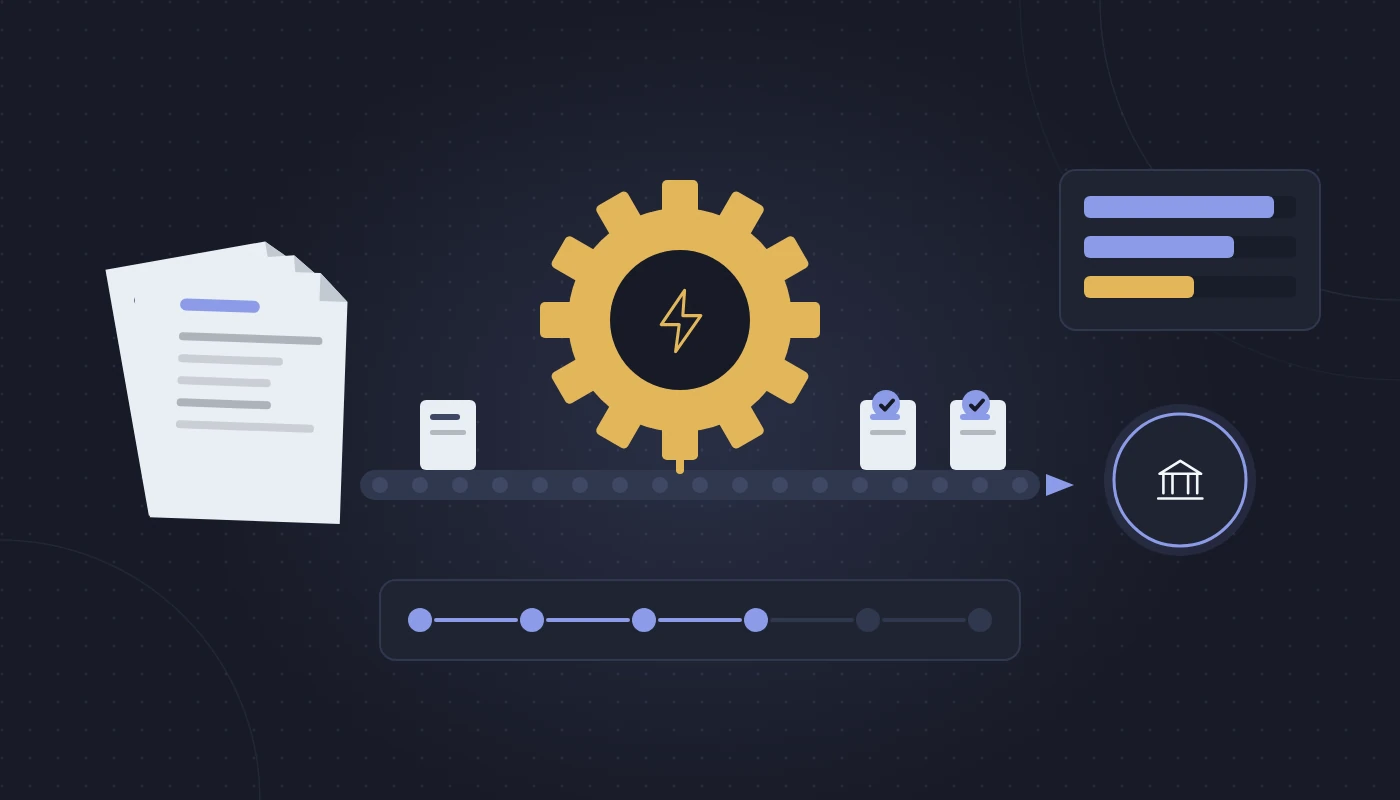
Accounts payable automation software is a set of tools, either a standalone platform or a module inside your accounting system or ERP, that digitises the invoice-to-payment cycle. Most products cover five stages.
| Stage | What happens manually | What automation does |
|---|---|---|
| Capture | Clerk opens email, downloads PDF, types header and lines | Dedicated inbox ingests invoices; OCR/AI extracts supplier, TRN, dates, amounts and lines |
| Validation | Clerk checks supplier, VAT and arithmetic | Rules check TRN format, VAT maths, duplicates and supplier master data |
| Matching | Clerk finds the PO and GRN in separate files | System performs two- or three-way matching against PO and goods receipt |
| Approval | Invoice printed or emailed for signature | Workflow routes by amount, cost centre or project, with mobile approval and reminders |
| Payment | Bank file built manually or payments keyed into the bank portal | Payment runs grouped by due date, exported to the bank, and reconciled automatically |
The best tools also store the invoice image against the accounting entry, which makes VAT audits and Corporate Tax reviews far less painful.
Where it sits in your systems
There are three common set-ups in the UAE market:
- Built-in AP within your ERP. Platforms such as Odoo, Dynamics 365 Business Central, SAP Business One and NetSuite all include vendor bills, approvals and payment runs. Some include basic OCR; others rely on add-ons.
- Bolt-on AP automation tools. Specialist platforms that sit in front of your ERP, handle capture and approvals, then post approved invoices into the ledger via an integration.
- Accounting software with light automation. Cloud accounting software UAE products often offer bill capture from email and simple approval rules, which may be enough for a small business.
The right answer depends less on the feature list and more on your volume, your purchasing discipline and how much your current system already does.
Invoice capture: invoice OCR software and AI extraction
Capture is where most teams start, and where vendors make their boldest claims. Classic invoice OCR software reads characters from an image and uses templates to find fields such as invoice number and total. Newer tools use machine-learning models that understand layout without a template per supplier.
For UAE businesses, test capture on your own invoices, not the vendor’s demo set. In particular, check:
- Bilingual invoices. Can the tool read the English fields when Arabic text sits alongside them? Does it get confused by Arabic-Indic numerals?
- TRN extraction. The 15-digit Tax Registration Number should be captured and validated against your supplier master.
- Line-level detail. Header capture (supplier, date, total) is easy. Line items are harder and matter for inventory and three-way matching.
- Poor-quality scans. Photographed invoices from site teams are common in construction and logistics.
Accuracy is a process, not a number
Vendors quote extraction accuracy figures, but your real-world result depends on invoice quality and on how the tool learns from corrections. Ask how corrections feed back into the model, and whether you can set confidence thresholds so that low-confidence fields go to a human for review.
A sensible goal is not “no human touches an invoice”. It is “humans only touch the invoices that need judgement”. If your AP clerk moves from keying to reviewing exceptions, you have won.
For businesses that want to go further, capture can be combined with broader business process automation, for example automatically creating a vendor record request when an unknown supplier’s invoice arrives, or routing utility bills straight to the facilities budget.
Three way matching: the control that saves the most money
If capture saves time, matching saves money. Three way matching compares three documents before an invoice can be paid:
- The purchase order (what you agreed to buy, at what price).
- The goods receipt note (what actually arrived, and how much of it).
- The supplier invoice (what the supplier is charging).
If quantity and price agree within your tolerance, the invoice can flow straight to approval or even to payment. If they do not, the system holds the invoice and flags the variance.
Two-way, three-way and four-way matching
| Match type | Compares | Typical use in the UAE |
|---|---|---|
| Two-way | PO and invoice | Services, subscriptions, fixed-fee contracts |
| Three-way | PO, goods receipt and invoice | Trading, distribution, retail stock purchases |
| Four-way | PO, goods receipt, quality inspection and invoice | Food, pharma, manufacturing with QC checks |
A building-materials distributor in Jebel Ali that switched on three-way matching typically finds the same issues in the first quarter: suppliers invoicing for the full PO quantity when only part was delivered, unit prices drifting from the agreed contract, and freight charges added without approval. None of these is fraud in most cases. They are simply errors that a busy team would never catch manually.
Tolerances and exceptions
Set tolerances carefully. Too tight and every invoice becomes an exception, which defeats the purpose. Too loose and you approve overcharges automatically. Most teams start with a small percentage or fixed-amount tolerance on price, zero tolerance on quantity for stock items, and review the exception report weekly to fine-tune.
Three way matching only works if your purchasing and warehouse processes are disciplined. If staff buy without POs, or goods are received without a GRN in the system, the software will flag everything. Fix the process first, or at least in parallel.
Approval workflows that actually move
Approval delays are the most common complaint we hear from UAE finance teams. Good AP automation fixes this with:
- Rule-based routing by amount, department, cost centre, project or supplier category.
- Mobile approvals so a manager in a site meeting or at the airport can approve from a phone.
- Delegation for leave periods, which matter in the UAE where long summer holidays are common.
- Escalation and reminders after a set number of days.
- Audit trail showing who approved what and when.
A practical tip: design your approval matrix on paper before configuring anything. Many companies discover their “policy” exists only in people’s heads.
Payment runs, bank files and WPS-adjacent processes
Once invoices are approved, the system should propose a payment run based on due dates, payment terms and available cash. Finance reviews the proposal, removes anything that should be held, and releases payment.
In the UAE, most banks support bulk payment uploads in specific file formats, and some offer host-to-host or API connections. Before you choose a tool, confirm it can produce the format your bank accepts, or that your integrator can build it. This is a common gap with international AP tools that were designed around US or European banking.
Supplier payments are separate from salary payments under the Wage Protection System, but the same bank-integration thinking applies. If your HR and payroll system already produces WPS files, ask whether the AP payment export can use a similar approach for consistency.
Fraud prevention and email security
AP is a favourite target for fraud, and UAE businesses are no exception. The most common scheme is business email compromise: a fraudster impersonates a real supplier, sends a convincing email saying “our bank details have changed”, and the next payment goes to the wrong account.
AP automation helps by enforcing controls that are hard to bypass:
- Bank detail changes require a separate, verified workflow, ideally with a call-back to a known contact.
- Duplicate detection checks invoice number, amount, date and supplier combinations.
- Segregation of duties means the person who creates a supplier cannot also approve its invoices or release payments.
- New suppliers go through an onboarding check before any invoice can be posted.
Software alone is not enough. Because most fraudulent requests arrive by email, strong email security with impersonation protection and domain authentication (SPF, DKIM and DMARC) is an essential partner to any AP automation project. Train your AP team to treat any payment-detail change as suspicious until verified.
How UAE e-invoicing changes AP
The UAE’s e-invoicing programme will change how supplier invoices arrive. Under the planned model, structured e-invoices are exchanged through the Peppol-based “5-corner” network via Accredited Service Providers (ASPs), with data also reported to the Federal Tax Authority. B2B and B2G transactions are in scope; B2C is excluded for now.
The published timeline at the time of writing is:
| Group | Appoint an ASP by | Go-live |
|---|---|---|
| Businesses with revenue of AED 50 million or more | 30 October 2026 | 1 January 2027 |
| Other in-scope businesses | 31 March 2027 | 1 July 2027 |
| Government entities | – | 1 October 2027 |
For AP, this is good news. Once your suppliers send structured e-invoices, you receive machine-readable data rather than PDFs, so capture accuracy approaches 100% for in-scope invoices. OCR will not disappear overnight, though. You will still receive invoices from foreign suppliers, from out-of-scope transactions and from smaller suppliers during the phased roll-out.
What this means in practice:
- Your AP tool or ERP must be able to receive e-invoices from your ASP and turn them into draft vendor bills.
- Validation shifts from “did OCR read this correctly?” to “does this match our PO and GRN?”
- You will run two intake channels, structured and unstructured, for some time.
If you are planning AP automation now, make sure it fits your e invoicing UAE readiness plan, so you are not buying a capture tool that becomes redundant or that cannot talk to your chosen ASP.
Accounts payable and receivable software: should one tool do both?
Many buyers search for accounts payable and receivable software as a single package, and it is a fair question. AP and AR are mirror images: one manages what you owe, the other manages what you are owed.
Dedicated accounts receivable software focuses on invoicing customers, sending reminders, applying cash receipts, managing credit limits and reporting on ageing. With e-invoicing, your AR side will also need to issue structured invoices through your ASP.
| Approach | Strengths | Watch-outs |
|---|---|---|
| One ERP handling AP and AR | Single ledger, one vendor, consistent reporting, simpler integration | Built-in capture and collections features may be basic |
| Specialist AP tool plus ERP for AR | Strong capture and approvals for high invoice volumes | Extra integration to maintain, two systems to train |
| Specialist AP and AR tools around an ERP | Best-of-breed features on both sides | More licences, more integrations, more points of failure |
For most UAE SMEs, the first option is the right starting point. A well-configured ERP covers AP and AR adequately, and you can add a specialist tool later if volume demands it. Larger groups with shared-service centres and thousands of invoices a month are more likely to justify a specialist layer.
If you are still choosing your core platform, our overview of ERP software UAE options is a good place to compare how the main systems handle finance automation. For a broader view of the selection process, see our guide to choosing ERP software in the UAE.
An accounts payable automation software comparison framework
Rather than rank products, which change quickly, here is the framework we use with clients when running an accounts payable automation software comparison. Score each shortlisted option against these criteria, weighted for your business.
Functional fit
- Capture quality on your own sample of 50 to 100 real invoices, including bilingual and poor-quality ones.
- Line-level extraction for stock purchases.
- Two-, three- and four-way matching with configurable tolerances.
- Approval workflow flexibility, mobile approval and delegation.
- Payment proposal logic and UAE bank file formats.
UAE compliance fit
- TRN capture and validation.
- VAT treatment, including reverse charge on imported services and goods.
- Readiness to receive structured e-invoices via an ASP.
- Record retention that supports VAT and Corporate Tax requirements.
- Data hosting location, if you have data residency obligations.
Integration and ownership
- Native connector to your ERP, or a documented API.
- Who builds and maintains the integration.
- How master data (suppliers, POs, GRNs, cost centres) stays in sync.
- Licensing model: per user, per invoice volume, per entity or bundled into the ERP. Understand which drives your cost as you grow.
Integration is where many AP projects stumble. A capture tool that cannot see your open POs cannot do three-way matching. If you are combining tools, budget time for ERP integration services and agree who owns the connector after go-live.
What the best accounts payable automation software looks like for a UAE team
There is no single best accounts payable automation software for every business. The best one for you is the option that removes your specific bottleneck with the least added complexity. Three scenarios illustrate the point.
A 25-person interior fit-out company in Business Bay. Most supplier invoices relate to projects. The bottleneck is project managers approving invoices late. The best fit is the ERP’s built-in vendor bills with project-based approval routing and mobile approvals. A specialist OCR tool would add little.
A 120-person FMCG distributor in Dubai Investments Park. Hundreds of stock invoices each month, with frequent price and quantity variances. The best fit is strong line-level capture plus strict three-way matching against POs and GRNs. Here, either a capable ERP module or a bolt-on tool is justified, and the decision comes down to integration effort.
A holding group with five entities across mainland and free zones. Invoices arrive at different entities, often for shared services. The best fit is a central AP inbox with entity detection, inter-company handling and consolidated reporting. Multi-entity support becomes the deciding criterion.
A simple rollout path
- Map your current process and measure invoice volume, cycle time and exception rate.
- Clean the supplier master: TRNs, bank details, payment terms and duplicates.
- Fix purchasing discipline so POs and GRNs exist before invoices arrive.
- Pilot with one entity or one supplier group.
- Expand, then tune tolerances and approval rules based on real exception data.
Frequently asked questions
What is the difference between AP automation and accounting software?
Accounting software records transactions and produces your ledgers and reports. AP automation focuses on the workflow before posting: capturing invoices, validating them, matching them and getting them approved. Many modern ERPs include both, while specialist AP tools plug into your accounting system.
Is invoice OCR software still needed once UAE e-invoicing goes live?
Yes, for some time. Structured e-invoices will replace PDFs for in-scope B2B and B2G transactions as each phase goes live, but you will still receive invoices from foreign suppliers, out-of-scope transactions and suppliers in later phases. Expect to run both channels during the transition.
What is three way matching in simple terms?
It is a check that the supplier is charging for what you ordered (purchase order) and what you actually received (goods receipt) before you pay. If the three documents agree within tolerance, the invoice can be approved quickly. If not, it is held for review.
Which is the best accounts payable automation software for a small UAE business?
For most small businesses, the best option is the AP functionality already in your accounting software or ERP, configured properly with approval rules and bank file exports. Specialist tools make more sense once invoice volume or the number of entities grows.
Can accounts receivable software be added later?
Yes. Many companies automate AP first because the savings are easier to measure, then add AR automation such as automatic reminders, customer portals and cash application. If your ERP already handles AR, start by switching on its reminder and ageing features before buying anything new.
How long does an AP automation project take?
It depends on scope, volume and data quality. A built-in ERP configuration for a single entity is usually a matter of weeks; a multi-entity rollout with a bolt-on tool and custom bank integration takes longer. Cleaning supplier data and fixing purchasing discipline are often the longest tasks.
Conclusion
A useful accounts payable automation software comparison starts with your own bottleneck, not a vendor’s feature list. For some UAE businesses that bottleneck is data entry, solved by capture. For others it is overcharging, solved by three-way matching, or slow approvals, solved by mobile workflows. Most need a bit of each.
Get the foundations right first: a clean supplier master, disciplined purchasing, a clear approval matrix and strong email security. Then choose a tool, built-in or bolt-on, that fits your ERP and your e-invoicing plans. The result is a finance team that spends its time on analysis and supplier relationships rather than retyping PDFs. For more articles like this, browse our ERP blog.